Showing posts with label List. Show all posts

Tuesday, April 17, 2012

Customize Send to in SharePoint 2010 Document Library

Create 2 web applications with a site collection of Team site Template
1. One  on port 8080
2. second on port 8081

 Now open the document library of site -8081 and go to settings. 


 Add details in Custom Send to destination
 Destination Name: - “Documents at 8080 Site”
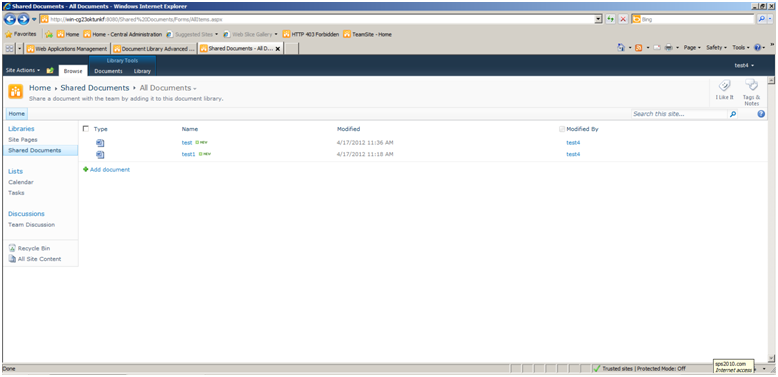
URL =http://serverName:8080/Shared%20Documents/Forms/AllItems.aspx 


Now when you open the context menu of any document resides on document library (at port 8081)

 it shows you custom Send to option as shown in screen shot. 


When you click on Send to “Documents at 8080 Site”, it will show another site where you can change the name of file. 


Once you click OK it will transfer the file on site document library of site 8080


Tuesday, October 13, 2009

How to insert lookupfield in Sharepoint List.

Here is the code to get the lookup column value and then insert into list.


private static SPFieldLookupValue GetIteminLookUpList(SPWeb webObject, string lookupListName, string lookupString)
{
SPFieldLookupValue fieldLookupValue = null;
try
{
if (CheckListExist(webObject.Lists, lookupListName) == false)
{
// Throw error if the list doesn't exists.
throw new ApplicationException(string.Format("{0}'s list doesn't exists!", lookupListName));
}
SPList lookupList = webObject.Lists[lookupListName];
foreach (SPListItem item in lookupList.Items)
{
if (item["Title"].ToString() == lookupString)
{
fieldLookupValue = new SPFieldLookupValue(item.ID, lookupString);
break;
}
}
return fieldLookupValue;
}
catch (Exception ex)
{
throw new ApplicationException("Error: " + ex.Message);
}
}