The solution of this error
SharePoint 2010 error: Retrieving the COM class factory for component with CLSID {XXXX-XXXXXXXX-XXXXXXXXXXXx} failed due to the following error: 800703FA
This error come when you create a console application with reference of Sharepoint dll, and when you default create a console application, it generate the exe in x86, but if your sharepoint is 64 bit it wont work, So change the build configuration for your console app for x64 bit.
Showing posts with label Sharepoint 2010. Show all posts
Showing posts with label Sharepoint 2010. Show all posts
Tuesday, June 11, 2013


Friday, June 1, 2012
Hide Left-hand Navigation in SharePoint 2010 Page Layout
In SharePoint Home page we don't need Left hand navigation, to hide that left hand navigation there is lots of way.
I found a simple way, just open your page layout in SharePoint designer and add following code.
<asp:Content ID="PageHead" ContentPlaceholderID="PlaceHolderAdditionalPageHead" runat="server">
<style type="text/css">
#s4-leftpanel
{
display:none;
}
.s4-ca
{
margin-left: 0px;
background: transparent;
}
</style>
</asp:Content>
It will hide Left hand Navigation from your Page layout.
Tuesday, April 17, 2012
Customize Send to in SharePoint 2010 Document Library
Create 2 web applications with a site collection of Team site Template
1. One on port 8080
2. second on port 8081
Now open the document library of site -8081 and go to settings.

Add details in Custom Send to destination
Destination Name: - “Documents at 8080 Site”
URL =http://serverName:8080/Shared%20Documents/Forms/AllItems.aspx

Now when you open the context menu of any document resides on document library (at port 8081)
it shows you custom Send to option as shown in screen shot.

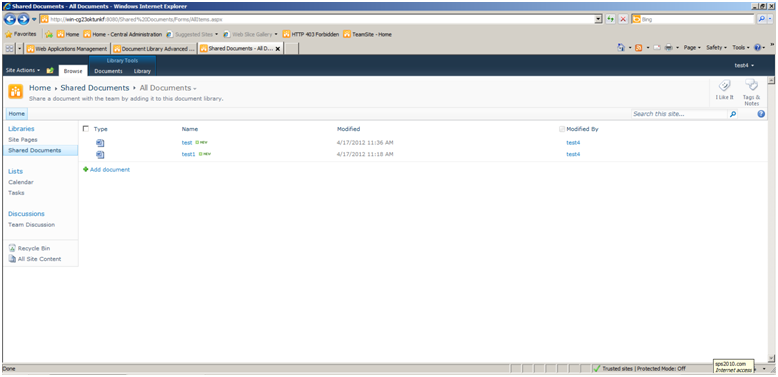
When you click on Send to “Documents at 8080 Site”, it will show another site where you can change the name of file.

Once you click OK it will transfer the file on site document library of site 8080
Subscribe to:
Posts (Atom)